# Creating a staff members account

1. Visit [www.earlyyearstraininggroup.com/a/members](http://www.earlyyearstraininggroup.com/a/members) and log in. We operate a no password website meaning you will be sent a code to the email to login.
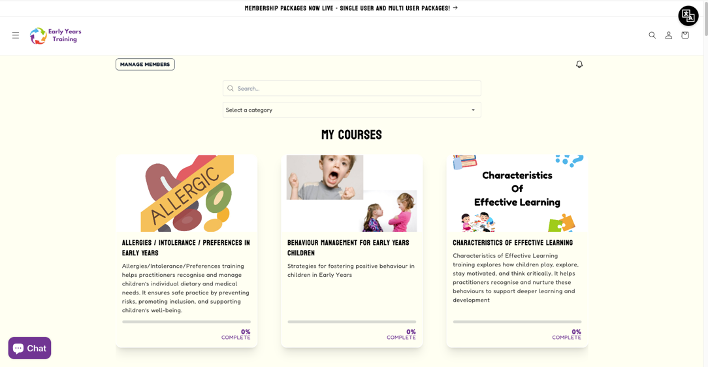
2. When logged in you will be brought to this page, you may or may not have direct course access as it is dependant on how you asked for your account to be set up.

<figure><img src="https://1506105419-files.gitbook.io/~/files/v0/b/gitbook-x-prod.appspot.com/o/spaces%2FzsTnZoPstsVWtVlpPO46%2Fuploads%2FjszOcUHgdRV9a8z90tcT%2Fimage.png?alt=media&#x26;token=5afd22f2-7b7b-4745-a134-29641837a686" alt=""><figcaption></figcaption></figure>

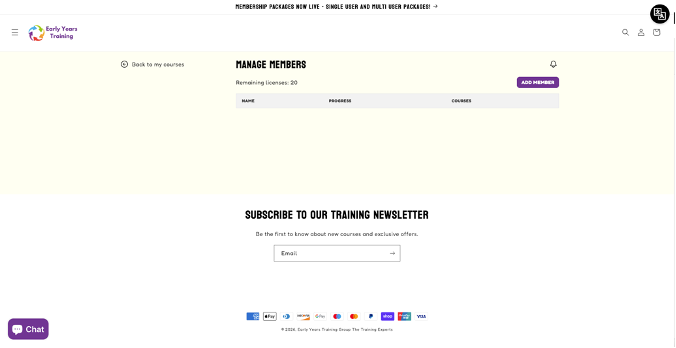
3. Click the “manage members” button to open your Learning Management System (LMS).

<figure><img src="https://1506105419-files.gitbook.io/~/files/v0/b/gitbook-x-prod.appspot.com/o/spaces%2FzsTnZoPstsVWtVlpPO46%2Fuploads%2F6zGAGHd7DiUZEnXGT2Mu%2Fimage.png?alt=media&#x26;token=6e75003b-450f-4f0b-bea3-b44b5b497918" alt=""><figcaption></figcaption></figure>

4. Click the “add member” to create an account for your staff.

<figure><img src="https://1506105419-files.gitbook.io/~/files/v0/b/gitbook-x-prod.appspot.com/o/spaces%2FzsTnZoPstsVWtVlpPO46%2Fuploads%2FKGSxvdU5NSTyTNFNOPMN%2Fimage.png?alt=media&#x26;token=432f4cfd-8dcf-48e9-8571-3636e792ba00" alt=""><figcaption></figcaption></figure>

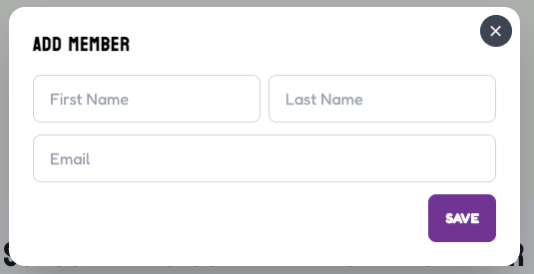
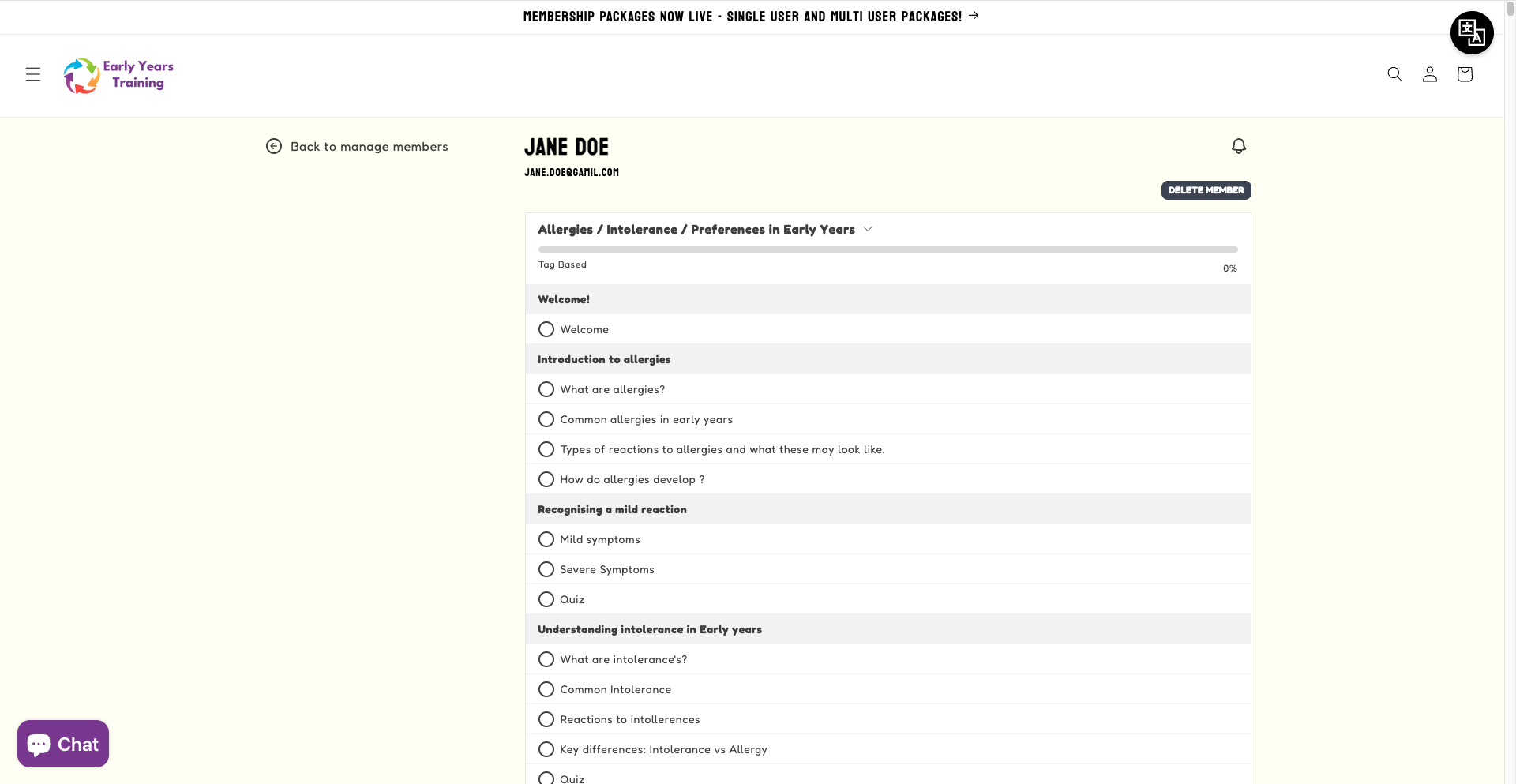
5. Fill in the requested information and click "save". The account will be automatically created and they can start their CPD straight away!&#x20;

<figure><img src="https://1506105419-files.gitbook.io/~/files/v0/b/gitbook-x-prod.appspot.com/o/spaces%2FzsTnZoPstsVWtVlpPO46%2Fuploads%2FQQN1dOh9bcFGKlhpwRGm%2FScreenshot%202026-02-03%20at%2011.27.15.png?alt=media&#x26;token=06bc4299-4ab6-4de7-991d-d142f2cab425" alt=""><figcaption></figcaption></figure>